Keep a review. Share a perspective.
Export a week, month, or year as an image or PDF, ready to save or share.
 LEEWARD
Private mood tracking for iPhone
A moment to notice how you feel. A place to see your days take shape. Your private mood journal for iPhone.
Explore LeewardiOS 26 and later · Currently in private TestFlight
THURSDAY, AUGUST 27 AT 9:41
EvenBetween grey and bright
A little perspective
A quick check-in becomes a record you can return to. Find a day, follow a pattern, or take a longer view.
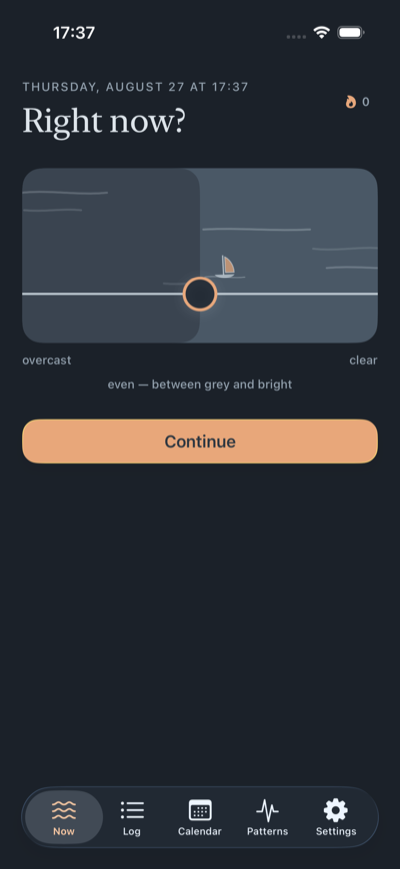
Check in
Set your Horizon from Overcast to Clear. Add a feeling or a note when there’s more to say.
Optional details
Choose a feeling, write a note, or record the situation, thoughts, body cues, and response in the observation map.
Patterns
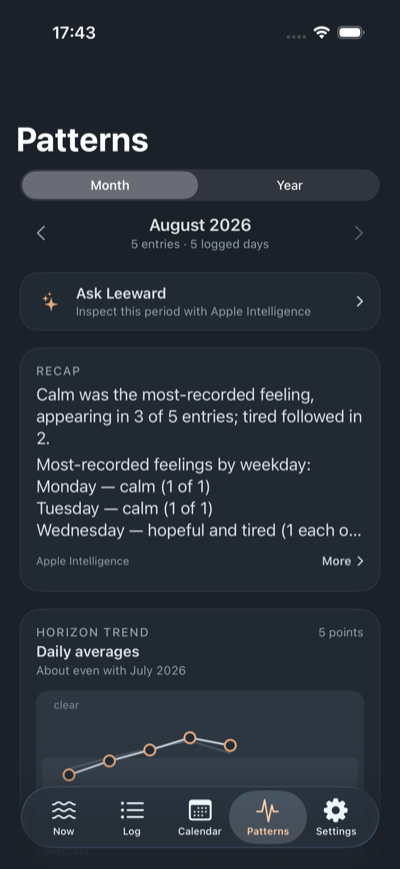
See how your horizon varied and which feelings or details appeared together. Open a day to read its entries.
Search entries or open a day’s observations.
Compare daily averages and recurring labels.
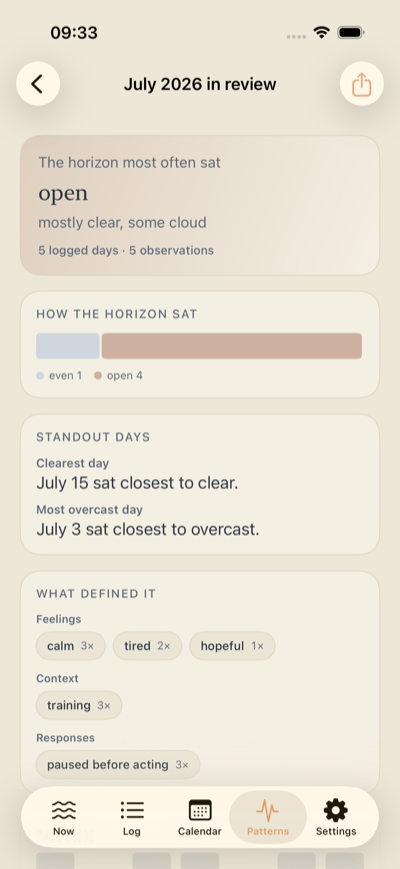
Export a week, month, or year as an image or PDF.
The everyday details
From a quick check-in to a review worth keeping.
Export a week, month, or year as an image or PDF, ready to save or share.
Search your entries or browse the calendar. Open a day to see every observation.
Add feelings, a note, or an observation map with the situation, thoughts, body cues, and response.
Export JSON, CSV, or Markdown. Import a JSON backup to restore your entries.
Optionally add the current conditions with Apple Weather.
Lock Leeward with Face ID or your passcode. Your journal and Apple Intelligence processing stay on your iPhone.
Leeward Plus
Your record has a story. Explore it with on-device Apple Intelligence and Apple Health context.
Explore your entries in your own words. Ask Leeward brings recorded feelings, details, and patterns into view.
Compare your Horizon with sleep, steps, and workouts in Patterns. Choose the Health context you want to connect.
Apple Intelligence offers another perspective on the patterns in your entries, alongside the record you can always return to.
Your journal is stored on your iPhone. Logging, entries, and patterns work offline, with no Leeward account, analytics, ads, or tracking.
Ask Leeward and interpreted recaps use Apple Intelligence on your iPhone. Your entries aren’t sent to a cloud model, and Apple Health values stay out of AI prompts.
Lock, export, or erase your record. Entry access, exports, and privacy controls remain available with or without Plus.
Apple Health adds read-only context such as sleep, steps, and workouts, read on demand and kept out of entries and exports. Weather is a separate opt-in that can save an Apple Weather snapshot with a current entry. It requests location without storing coordinates; when off, it makes no location or weather request.
Export JSON from one iPhone and import it on the other. Health and weather context aren’t included. Optional iCloud backup is also being piloted in selected beta builds; it restores a saved copy rather than continuously syncing devices.
No. Leeward is for CBT-informed self-monitoring. It doesn’t diagnose, offer treatment, or give advice. The horizon is a personal observation, not a clinical scale.